


Key takeaways
- Check core fields, category specifications, variants, images and destination requirements before publishing product data.
- A product can pass a format check and still contain an incorrect specification, so important values need human verification.
- Give every data error an owner, correct it at the source and recheck the affected records before sharing them.
- Start with one high-risk range and turn its recurring checks into a repeatable pre-publication process.
A product data quality checklist checks whether catalogue information is complete, consistent and accurate before it reaches customers or connected systems. For a B2B catalogue, that means checking core fields, category specifications, variants, images, prices and each destination's requirements.
A missing dimension can stop a furniture buyer ordering. An incorrect pack quantity can cost margin, while a supplier price update applied to the wrong variant can send staff back through the catalogue to repair it. The aim is to find those problems before the update goes out.
What should every product have before publication?
Start with a core set of fields for every product, then add requirements for the categories and destinations that need them. Use the same checklist for a new range and for changes to existing products.
- Identification. Check the SKU or part number, supplier, product name and category. Make sure the identifier refers to the right item and isn't duplicated.
- Buying information. Check the description, selling unit, pack quantity and applicable price. Compare price changes with the approved price file, including quantity breaks where relevant.
- Specifications. Require the attributes a buyer needs to choose the product, such as dimensions, material, capacity or compatibility.
- Variants and options. Check that each stocked size, colour or other combination has the right identifier, price and details. Remove combinations that cannot be supplied.
- Images and documents. Match the main image and any supporting images or files to the correct product and variant. Check that they show the current item.
- Destination requirements. Check the fields, formats and content needed by each website, sales channel or connected system receiving the update.
The cost of product data errors extends beyond the time spent correcting a page. Sales and operations staff may also need to answer avoidable questions, resolve incorrect orders or reissue catalogue updates.
Set mandatory fields by category
One universal list won't capture what makes every product usable. Agree a core set for the whole catalogue, then add fields for each category based on how customers select and order products.
| Category | Fields to make mandatory | Why they matter |
|---|---|---|
| Furniture | Dimensions, material and finish | Buyers need to know whether an item fits and matches the space. |
| Apparel and uniforms | Size, colour and product-specific variant details | Buyers need to select the right combination. |
| Industrial parts | Part number, technical specifications and compatibility | Buyers need to identify a suitable part or replacement. |
| Promotional products | Product dimensions and available decoration options | Buyers need to assess the item and how it can be branded. |
Document the accepted unit and format alongside each field. For example, record furniture dimensions in millimetres and agree whether the values describe the assembled item or the packaging. A filled field is not useful if the team and customer interpret it differently.
Separate format checks from fact checks
Product data validation can find blank fields and values that don't follow an agreed format. It cannot establish that a well-formatted value describes the right product. A width of 900 mm may look valid even when the supplier specification says 600 mm.
GS1 India assessed completeness, accuracy and format conformity separately in its product data study. Use the same distinction in your workflow: automate repeatable checks and give a person responsibility for verifying important facts.
- Automate repeatable checks. Find missing SKUs, descriptions and category fields, and flag values that don't follow your agreed formats.
- Verify commercial details. Have the pricing owner compare prices, units and quantity breaks with the approved price file.
- Verify product facts. Have a product specialist compare critical dimensions, materials and compatibility details with current supplier specifications or the physical item.
- Review presentation. Open representative product pages or exports to check readable titles, useful descriptions and correctly matched images.
Pay particular attention when a supplier changes a range. A previous value may be complete and consistently formatted but no longer current. For the earlier stage of the process, see how to clean up supplier product data.
Check variants and channel outputs
A correct parent product doesn't mean every variant is ready. In a uniform range, check that each size and colour combination has the right SKU and price, and that the image represents the selected colour. For a bulk price update, compare the affected variants with the approved price file, not just the parent record.
Then inspect what each destination will receive. A website may need a customer-facing description and images, while another connected system may rely on identifiers and selling units. Compare the output with the destination's actual requirements and correct gaps before sharing.
Put the checklist into a weekly workflow
Choose the next range or update due for release, nominate a catalogue owner and work through these steps before it goes live.
- Define the release. List the products, changed fields and destinations involved. Include existing products affected by a supplier price or specification change.
- Run the checks. Find missing core and category fields, inconsistent formats, incomplete variants and gaps in destination content.
- Assign corrections. Record the product identifier, issue and owner. Send price questions to the pricing owner and specification questions to the product specialist or supplier.
- Fix at the source. Update the maintained product record rather than correcting only a website page or one export. Record where the verified value came from.
- Recheck and approve. Run the checks again on corrected records, review the destination output and have the catalogue owner approve the release. Hold unresolved products back from the release.
Xada's data validation runs automated quality checks, detects missing fields, applies format rules and reports errors and alerts so the team can fix issues at the source. It helps prevent incomplete or incorrect data reaching connected systems, but your team still needs to verify product facts and decide when a release is ready.
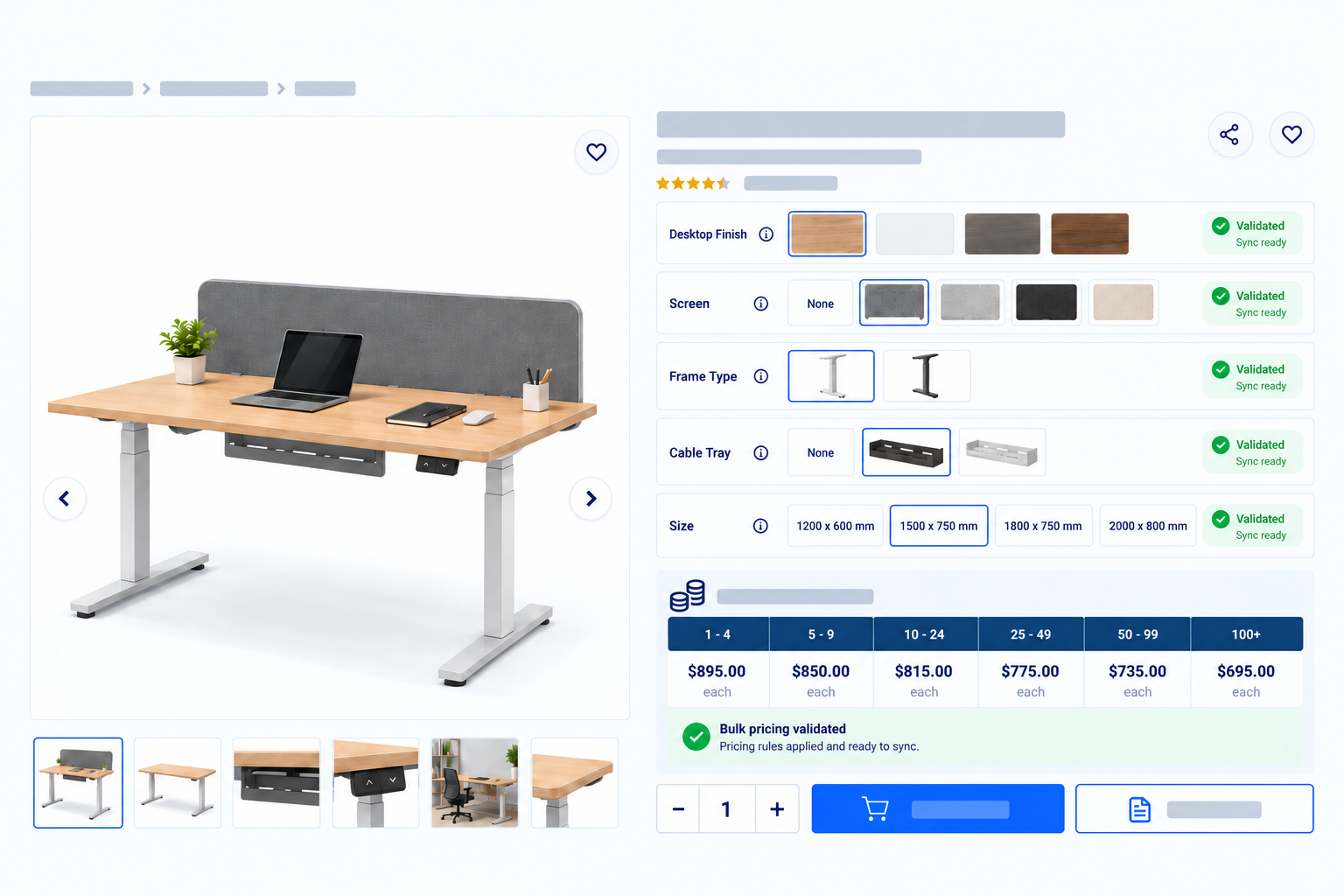
Start with the fields and errors from your first range, then extend the process as the team agrees on requirements for other categories. Explore Xada's features or talk to the team about setting up validation for your catalogue.
Sources
- Gartner Survey Finds 69% of B2B Buyers Turn to Sales Reps to Validate AI-Generated Insights
- Uncovering the Hidden Cost of Poor Product Data in Indian E-Commerce
- What is the difference between Data Quality and Data Accuracy?
- Product Listing UX: What Information to Display in Product Listings
- Presenting products on websites: the importance of information quality criteria for online shoppers
Frequently asked questions
What should be on a product data quality checklist?
Include identifiers, descriptions, prices, selling units, category-specific specifications, variants, images and destination requirements. Check that the information is complete, consistently formatted and factually correct.
How do I find missing information in a large product catalogue?
Define mandatory fields for the whole catalogue and additional fields for each product category. Run automated checks to identify incomplete records, assign each gap to an owner and recheck after correction.
Which product fields should be mandatory for different categories?
Make the fields customers need to identify, compare and order the product mandatory. Furniture may need dimensions and finish, while industrial parts may need part numbers, technical specifications and compatibility.
How do I stop incorrect product data reaching my website and other systems?
Validate required fields and formats before sharing, then have the appropriate owner verify critical specifications and prices against an approved source. Correct errors in the maintained product record, recheck the output and hold unresolved products back from the release.